


Crafting and Building
4.118.42K Reviews
App Specs
- Version
- 1.21.131.1
- Updated On
- License
- Free
- Downloads
- 100,000,000+
- Developer
- GeneRe
- Categories
- Adventure
- Platform
- Android
Screenshots
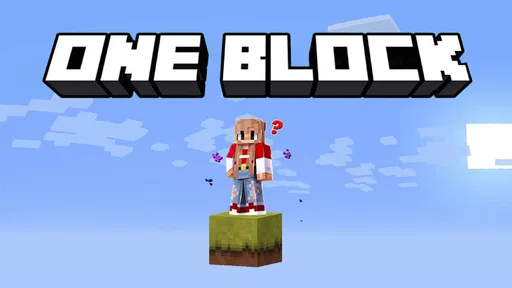
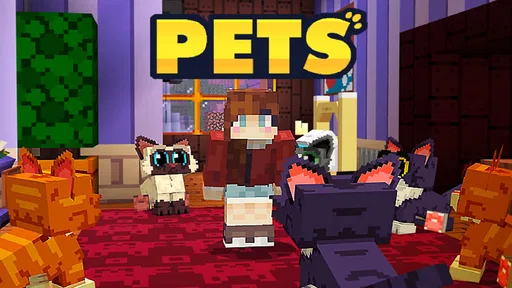
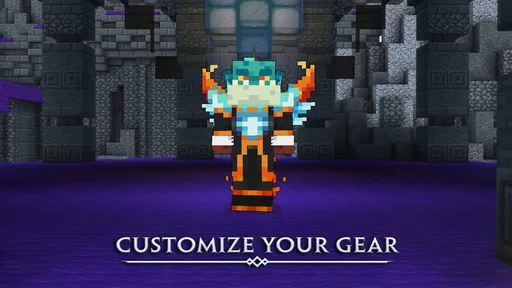
 Analysis by AppCompare
I like having a game around that people in the same household can pick up for a few minutes without needing to agree on a complicated quest first. Crafting and Building suits that sort of shared use: one person can focus on making a home, while another can wander and look for ideas. Its appeal is easy to grasp, but the relaxed, open-ended format also means it works best when players bring their own small goals.
A shared world for short, casual sessions
In an everyday setting, I can imagine a child starting a simple build after school and a parent or sibling joining later to add a room, shape the surroundings, or explore nearby. There is no need to turn that into a long family gaming session. A useful approach is to agree on one small project before starting, such as making a shelter or choosing a place to build. That gives a shared session a natural finish point without imposing a rigid plan on the game.
That flexibility is also a trade-off. Players who enjoy setting their own aims can keep finding reasons to return, but someone expecting a clearly guided campaign may wonder what to do next. I would treat it as a creative activity with adventure around it, not as a story-led game that continually hands you objectives.
Guides and Analysis on Crafting and Building
Separate turns and sensible boundaries
On a shared device, I would decide whose turn it is before opening the game and avoid assuming that two people are using separate accounts or keeping separate creations. The practical point is simple: if several household members take turns, agree where each person’s work belongs and ask before changing a build another person has made. That small bit of coordination prevents a relaxed game from becoming an argument about who moved or replaced something.
I would also set expectations about session length and any spending before handing over the device. The game is free to start, while in-app purchases range from $1.99 to $49.99 per item. Those optional purchases are worth discussing with younger players in advance, rather than treating “free” as a promise that nothing in the game can cost money. I find that a clear household rule is more useful than relying on a child to make that distinction alone.
Playing together takes a little coordination
The multiplayer element can make a build feel more social, but it works best when players communicate about the project instead of simply working in parallel. Before setting out, decide whether the group is exploring for resources or gathering inspiration for a construction. If everyone has a different plan, one player may be ready to build while another is still wandering. A shared goal, even a modest one, helps keep the session enjoyable.
For friends who cannot meet in person, the game’s social angle may be appealing, but I would not choose it on the assumption that it provides a particular set of communication or privacy tools. For a household, the sensible habit is to supervise younger players’ online interactions and use the device’s existing family rules. When that kind of oversight is not possible, a solo building session is the more comfortable option.
Worth Reading Before You Choose

Ludo King Makes the Most of the Minutes Between Plans

Baby Panda World Brings Quick Play to Modern Phones, but Its Game Library Feels Busy

ESPN’s Live Game View Makes Following Close Games Easier

QuizzLand Review: A Good Fit for Short Trivia Breaks, Not Every Player

Basketball Stars: Multiplayer Is Fast, but Can It Recover When Matches Go Wrong?

WEBTOON Turns Phone Updates Into a Better Reading Routine
Who will enjoy this kind of adventure?
I’d recommend it to players who like making their own projects, exploring at their own pace, and sharing ideas with friends. It can suit a casual player who wants a low-pressure creative outlet, as well as a younger player who enjoys imaginative construction. The age rating is Everyone, though that does not remove the need for an adult to make choices about shared devices, online play, and purchases.
I would steer away from it if you want a tightly written plot, a precise sequence of challenges, or a building tool with a more technical workflow. Compared with a conventional adventure game, its freedom is the attraction, but also the reason it may feel directionless. Compared with a dedicated construction or design tool, it offers exploration and a game-like setting rather than a focused workspace. The right choice depends on whether you want to play and discover as you build, or simply design with more control.
For a first session, I would keep expectations modest: learn the controls, choose a manageable project, and leave time to explore rather than trying to create an elaborate structure immediately. A smaller first build makes it easier to understand how placing materials feels and whether the open-ended style clicks for you. If a group is playing, let each person contribute one clear part instead of assigning vague jobs; that makes cooperation feel purposeful without turning it into a chore.
There is a useful creative trade-off in the way the game invites players to make their own fun. A player can turn a landscape into a source of ideas, then return to build something inspired by what they found. But if a child needs frequent prompts or a visible checklist to stay engaged, the freedom may not be enough on its own. I would try it alongside an adult or friend first, then see whether the player naturally invents projects to continue.
Crafting and Building is an adventure game from GeneRe. It was released on January 27, 2020, and version 1.21.93.136 requires Android 8.0 or later. It has a 4.1 average from around 1.5 million ratings, with over 100 million installs. Those figures suggest that the block-building idea has broad reach, but they do not tell me whether its relaxed pace is a match for every player; that comes down to how much they enjoy setting their own direction.
For households, I would make the first decision less about whether the game is popular and more about how it will be used. Is it a shared creative activity, a solo way to unwind, or a game to play with friends? Those are all plausible reasons to try it, but each calls for different expectations. Keeping projects small, agreeing on turns, and setting a spending rule makes the experience easier to manage without pretending the game itself will organize the household.
First Impressions: A World of Blocks
Jumping into Crafting and Building felt like stepping into a colorful, blocky wonderland. If you've ever dabbled in any sandbox games, the vibe here will feel pretty familiar. The app is all about creativity, letting you build whatever your imagination can concoct. And trust me, the possibilities are nearly endless.
Upon launching the app, I was greeted with a straightforward, intuitive interface. No overly complicated menus or options here, just a simple path to start crafting or exploring. The controls are smooth, which is crucial when you're getting into the nitty-gritty of building.
Building and Crafting: The Heart of the Game
Diving deeper, the building mechanics are pretty fun. You can choose from an array of materials to start crafting your masterpiece. Whether it's a cozy little cottage or a sprawling castle, the game has got you covered.
One of the things I really appreciated was the freedom it offers. There's no pressure to follow a specific path or complete certain tasks. It's all about what you want to create. And honestly, there's something pretty therapeutic about just building for the sake of building.
Exploration and Adventure
Beyond crafting, there’s a whole world to explore. The landscapes are diverse, and you might find yourself wandering through lush forests, climbing mountains, or even discovering hidden caves. It adds a layer of adventure to the game that keeps things interesting.
Exploration is encouraged, and it’s a great way to gather resources or just get a little inspiration for your next big project. Plus, if you're playing with friends, the multiplayer feature can turn exploration into a shared adventure.
Visuals and Sound
The graphics are charmingly blocky, which is kind of the point, right? They keep things visually appealing without overwhelming your device's performance. It’s not about hyper-realistic graphics; it’s about a style that complements the gameplay perfectly.
The sound effects and music are subtle but fitting, creating a pleasant background noise as you lose yourself in your latest creation. It’s the kind of ambiance that doesn’t distract but enhances the overall experience.
Final Thoughts
So, is Crafting and Building worth your time? If you're into sandbox games and love a good creative outlet, I’d say absolutely. It’s got a casual, laid-back vibe that’s perfect for unwinding after a long day. Plus, the multiplayer aspect adds a fun social element if you want to build and explore with friends.
Give it a try, and who knows? You might just find your next favorite hobby in the vast, blocky landscapes of Crafting and Building. Happy crafting!
Pros
- User-friendly interface for easy navigation.
- Wide variety of building materials available.
- Multiplayer mode enhances social gameplay.
- Regular updates with new features.
- Supports offline play for convenience.
Cons
- Graphics could be more polished.
- Occasional lag in multiplayer mode.
- Limited in-game tutorials for beginners.
- Ads can be intrusive at times.
- In-app purchases can be expensive.
FAQs for Crafting and Building
What is Crafting and Building, and how does it work?
Crafting and Building is a sandbox game that allows players to explore, build, and create in a block-based world similar to Minecraft. Players can construct buildings, mine resources, and craft items. The game offers both creative and survival modes, providing a versatile gameplay experience where users can either focus on building without limitations or face the challenges of surviving in a dynamic environment.
Is Crafting and Building free to download and play?
Yes, Crafting and Building is free to download and play on both Android and iOS platforms. While the core gameplay features are accessible at no cost, the app may offer optional in-game purchases for cosmetic items or additional resources to enhance the gaming experience. Players should review in-app purchase options to manage spending.
Does Crafting and Building support multiplayer gameplay?
Crafting and Building supports multiplayer gameplay, allowing users to join friends or other players online to collaborate on building projects or explore worlds together. This feature enhances the social aspect of the game, making it more engaging for those who enjoy cooperative play. Players can connect via local networks or online servers.
Are there any age restrictions for playing Crafting and Building?
Crafting and Building is generally suitable for players of all ages, as it promotes creativity and problem-solving. However, parents might want to supervise younger children in the multiplayer mode due to potential interactions with other players. The game’s content is family-friendly, but parental guidance is advised for online play.
What are the system requirements for Crafting and Building?
To ensure smooth gameplay, Crafting and Building requires a device running Android 4.1 or later, or iOS 9.0 or later. Adequate storage space is necessary for installation and updates. For optimal performance, it's recommended to play on devices with at least 1GB RAM and a stable internet connection for multiplayer features.


